Written for:Property AdminAgency ManagerCommittee PresidentCommittee SecretaryTreasurerCommittee Member+3
Onboarding a new tenant
The tenant fills their own form from an SMS link, a person checks the documents, then the police pack is printed.
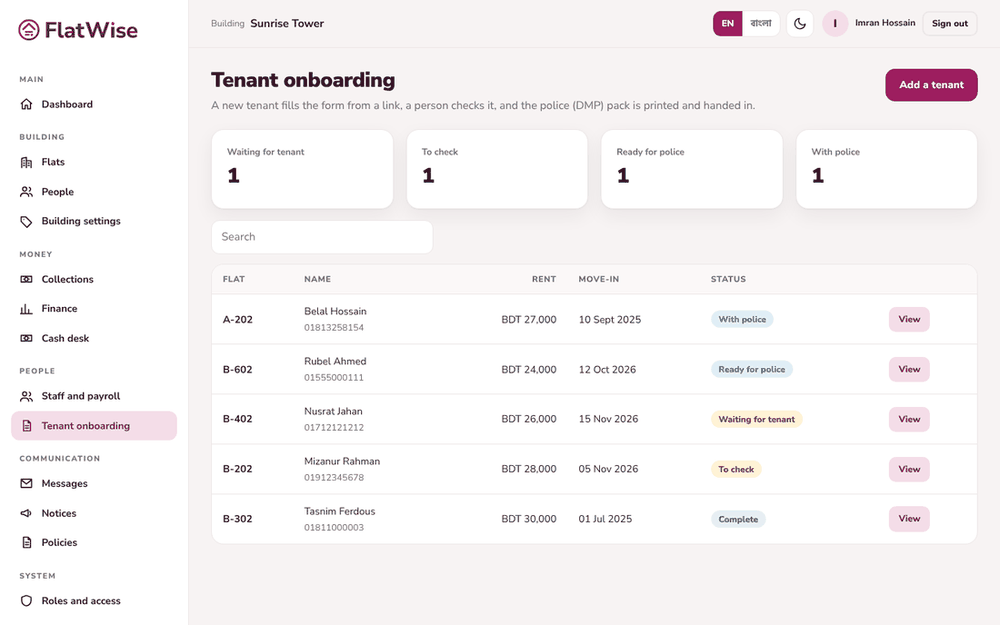
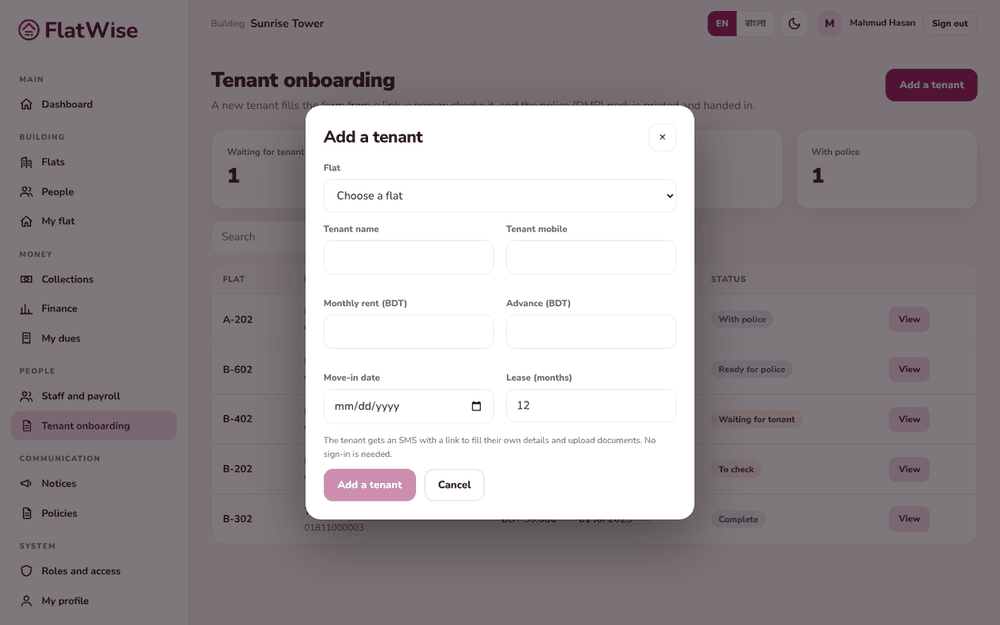
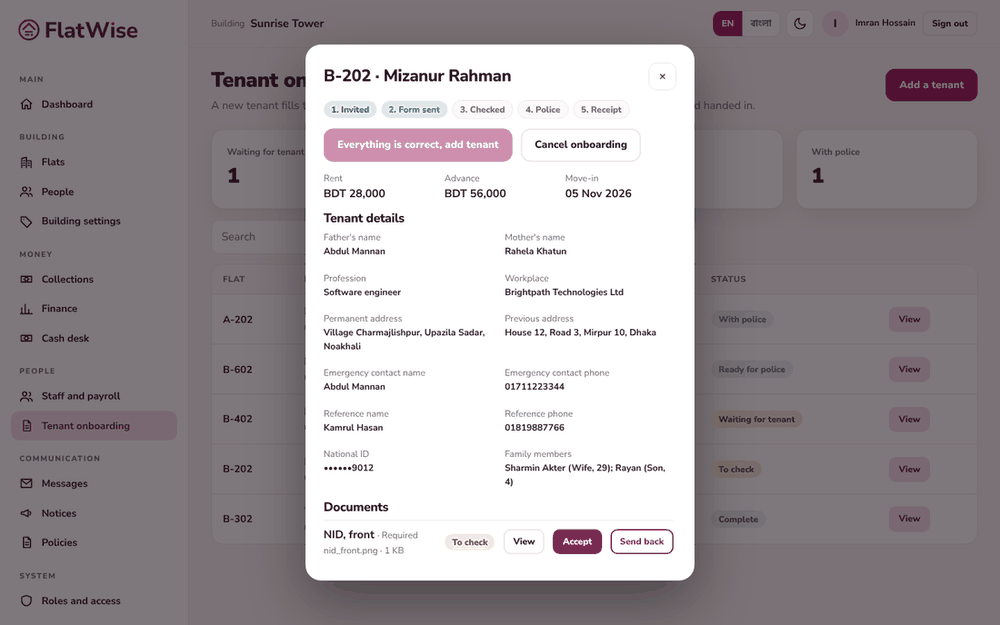
Tenant onboarding boardAn owner adds a tenantChecking the documents
Steps
Open Tenant onboarding and press Add a tenant. Choose a flat that is To let, then enter the tenant's name, mobile, rent, advance, move-in date and lease months.
The tenant gets an SMS with a link. No sign-in is needed. They fill five short steps on their phone and upload NID front and back and a passport photo, plus optional documents.
You open the case and check each document: Accept, or Send back with a note. If the form link is lost, press Send the link again.
When all details are filled and the three required documents are accepted, press Everything is correct, add tenant. The tenant is now on the flat.
Print the DMP pack, record when it was handed to the police, and the police receipt number.
Tips
Owners can start onboarding for their own flat.
A person always hands in the pack to the police. FlatWise files nothing by itself.