Record who owns and who lives in each flat, and give them a sign-in if they should use FlatWise.
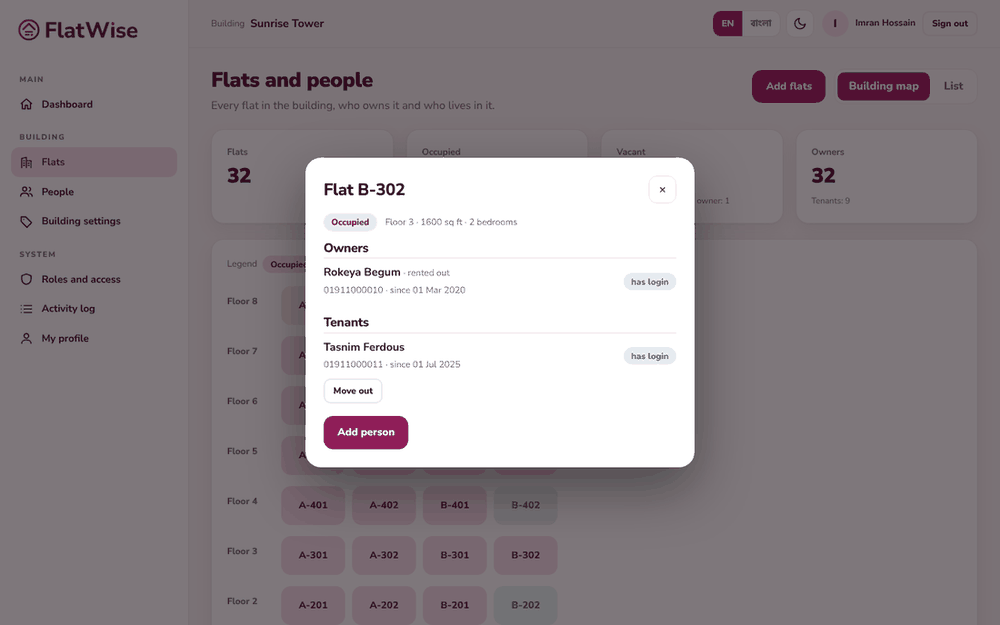 A flat with its owner and tenant
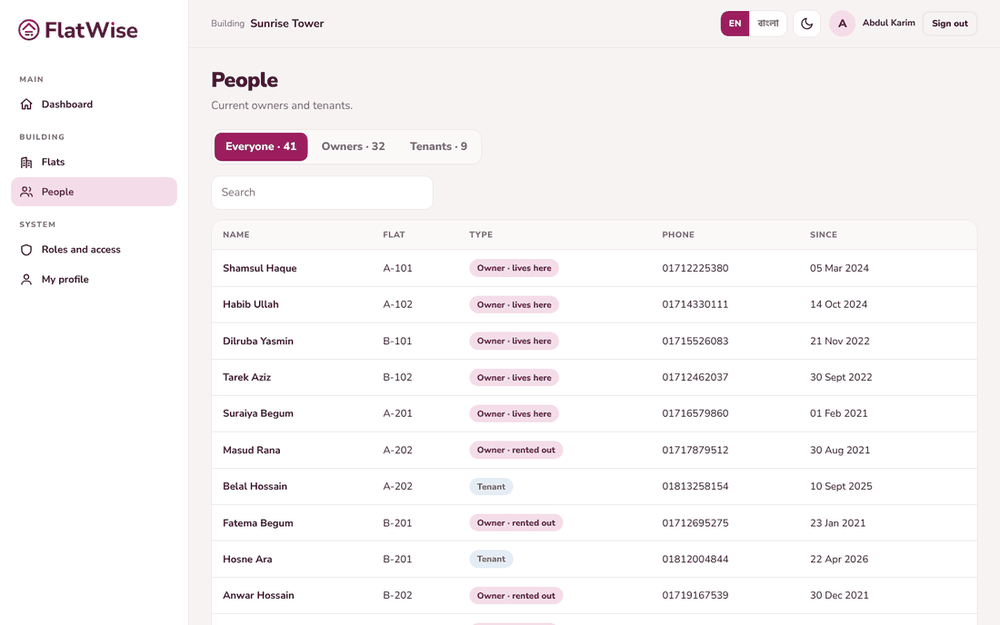 The people list
Steps
- Open Flats and tap a flat on the map or in the list.
- Press Add person. Choose Owner or Tenant, then enter the full name, phone and email.
- For an owner, tick Owner lives in this flat if that is true. A flat has one tenant at a time.
- Tick Create a sign-in for this person (needs an email). FlatWise shows a temporary password once. Give it to the person and ask them to change it.
- When someone leaves, open the flat and press Move out. The record stays in History and their sign-in for this building stops.
Tips
Owners can add their own tenant from My flat, without waiting for the admin.
People who only need to be on record, such as an owner who lives abroad, do not need a sign-in.
Still stuck? Contact support
Tell us the screen, what you tried and what you saw. Do not send passwords.
Hours
[SUPPORT HOURS, for example Sat to Thu, 9:00 to 18:00]Send us a message

