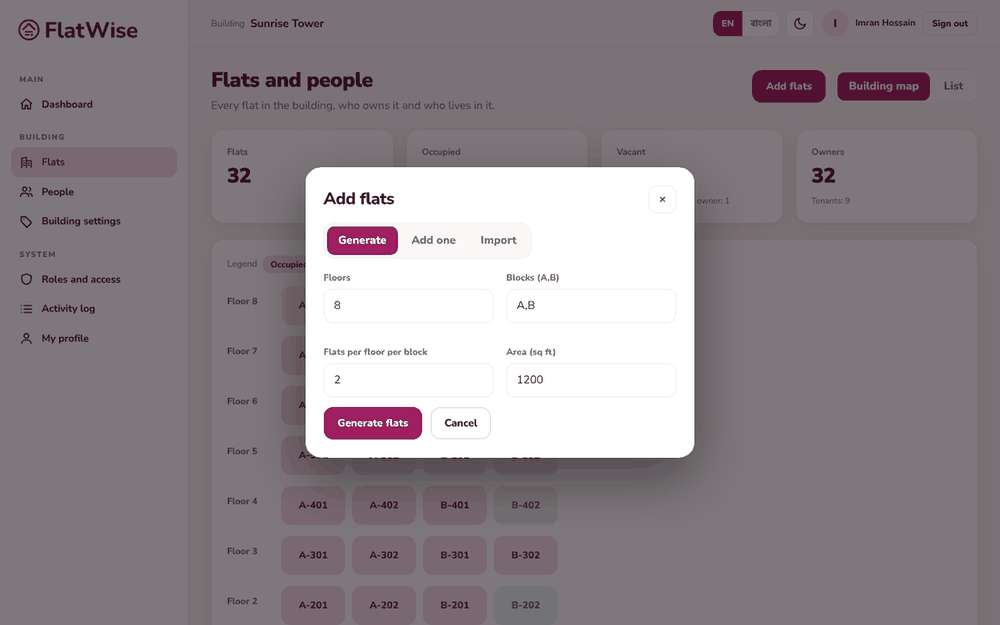
Create every flat in one go, add one by one, or paste a list from Excel.
Generate flats for every floor and blockParking slots created with the flatsThe building map
Steps
Open Flats and press Add flats.
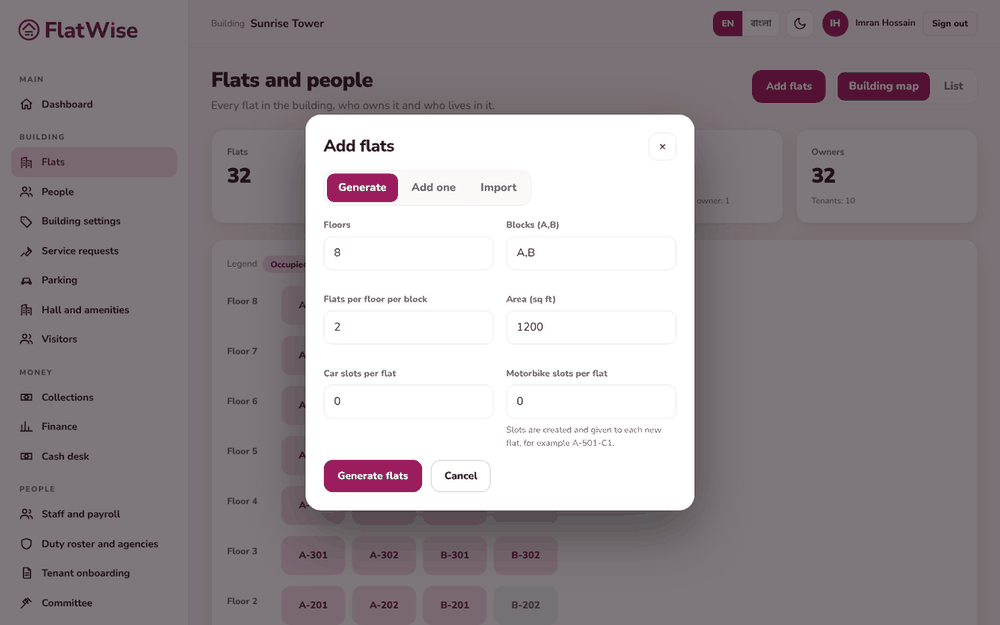
On Generate, enter the number of floors, the blocks (for example A,B) and flats per floor per block. Flats are named like A-101, A-102. Set the usual area and bedrooms.
If your plan includes parking, enter car and motorbike slots per flat. FlatWise creates the slots and gives them to the flats.
To add a single flat use Add one. To load existing data, open Import and paste rows: number, floor, block, area, bedrooms, owner name, owner phone.
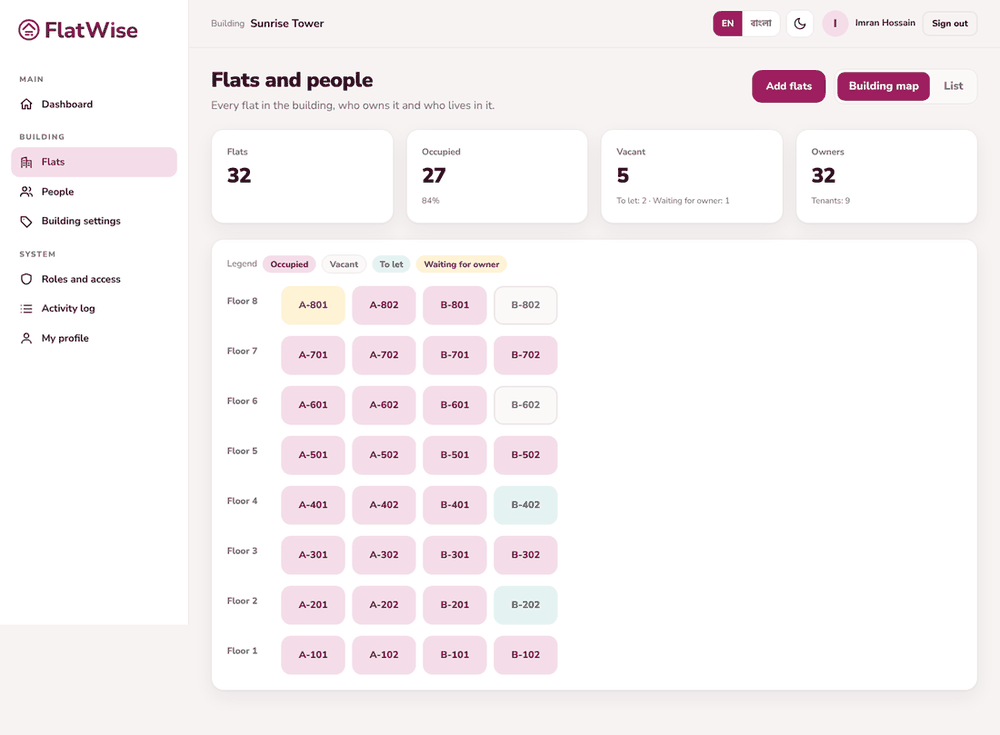
Check the building map. Colours show occupied, vacant and to-let flats.
Tips
Generating twice is safe: flat numbers that already exist are skipped.
Importing a number that exists updates it instead of making a duplicate.