One button creates a bill for every flat for the month. Pressing it twice never creates duplicates.
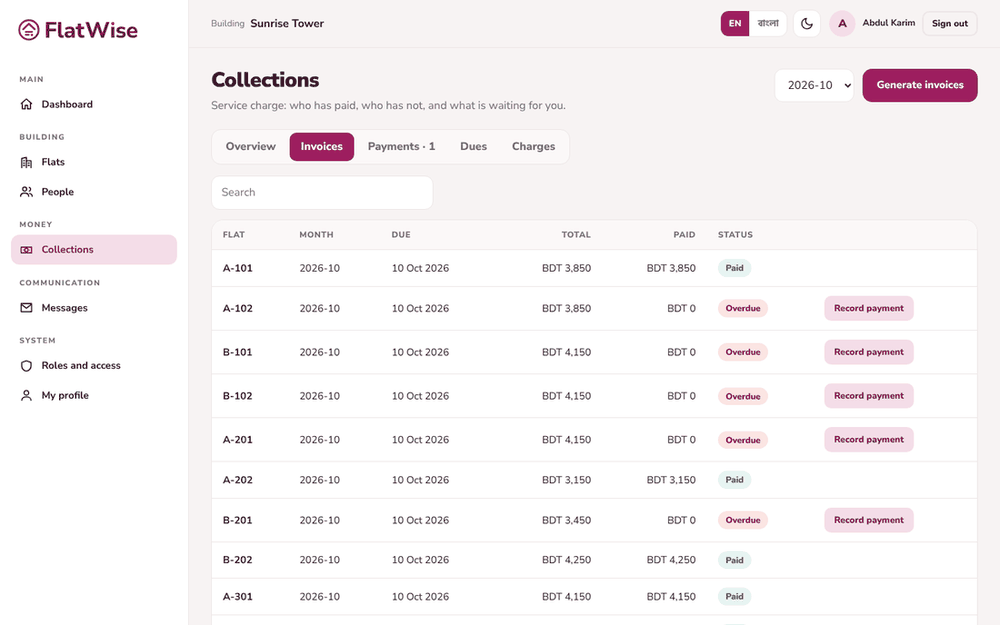 Invoices for a month
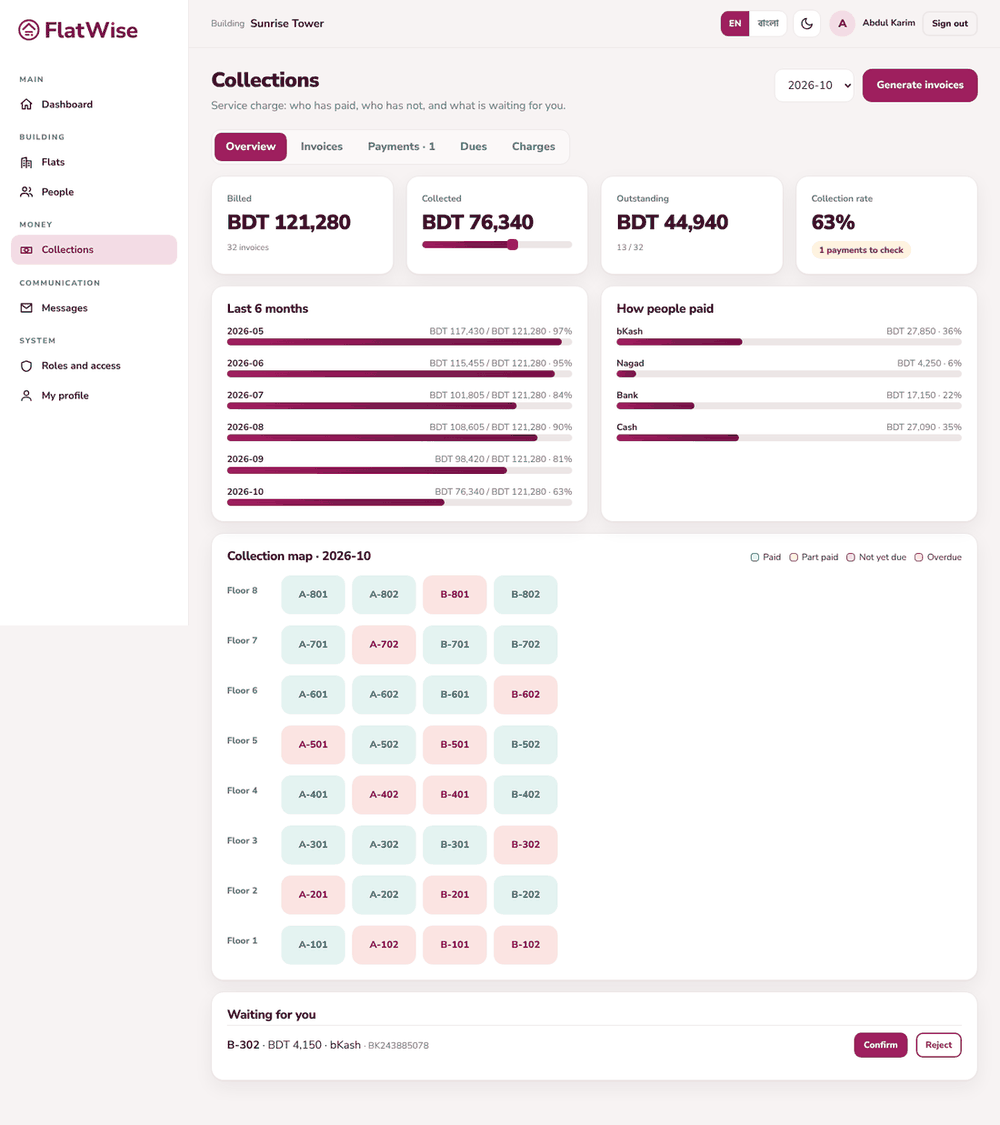 Collections overview
Steps
- Open Collections and press Generate invoices.
- Enter the month as YYYY-MM, for example 2026-11, and the due day (1 to 28).
- Press Generate. FlatWise shows how many invoices it created.
- Open the Invoices tab to see each flat's bill, due date, paid amount and status.
- To cancel a wrong bill that has no payment, open it and press Void invoice.
Tips
Check the Charges tab first: an invoice is the sum of active charges at the time you generate.
The Overview tab shows billed, collected, outstanding and the collection rate for the month.
Still stuck? Contact support
Tell us the screen, what you tried and what you saw. Do not send passwords.
Hours
[SUPPORT HOURS, for example Sat to Thu, 9:00 to 18:00]Send us a message

