Every payment, expense and purchase is written once, balanced, and never edited. This is what makes the figures trustworthy.
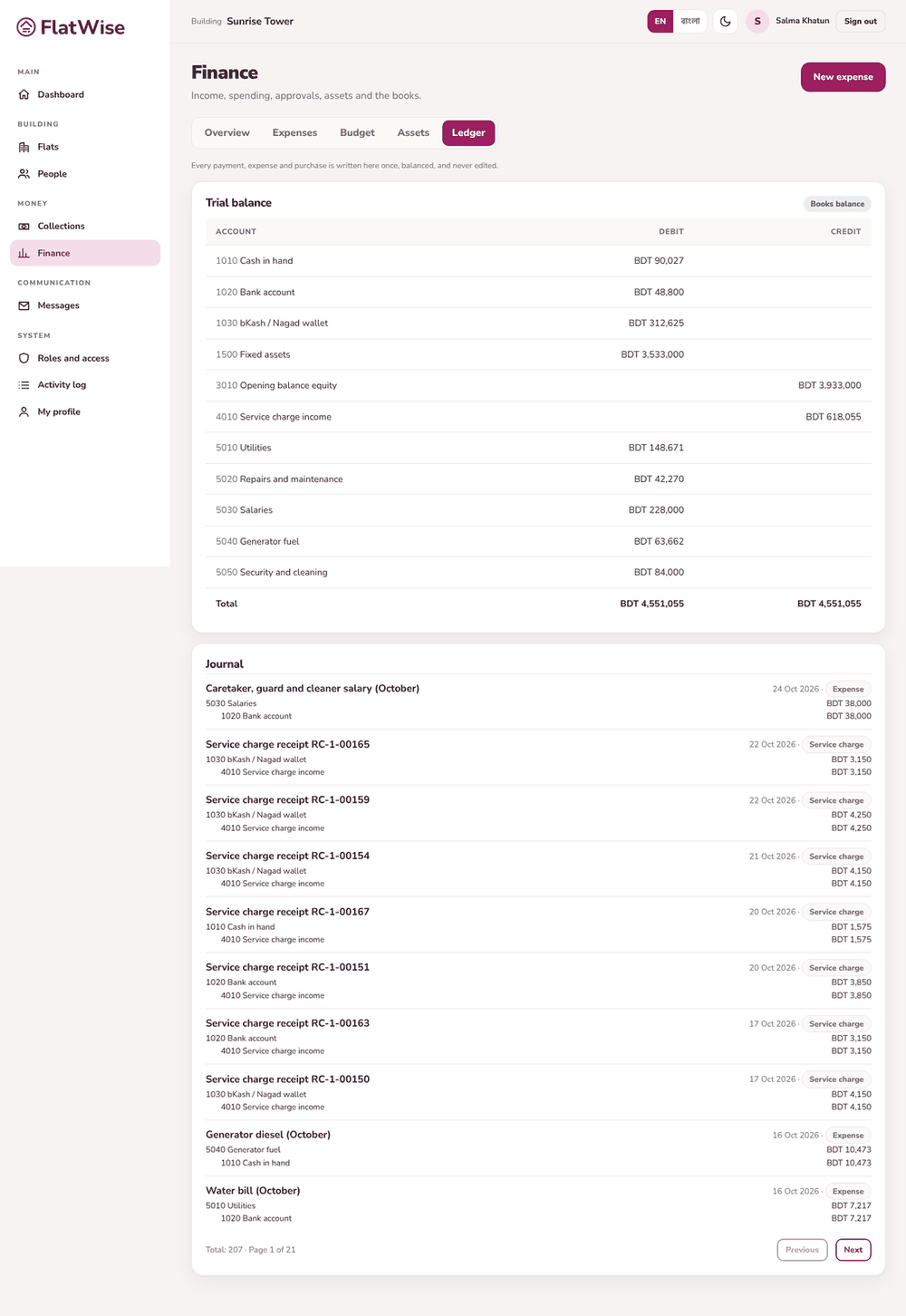 Ledger and trial balance
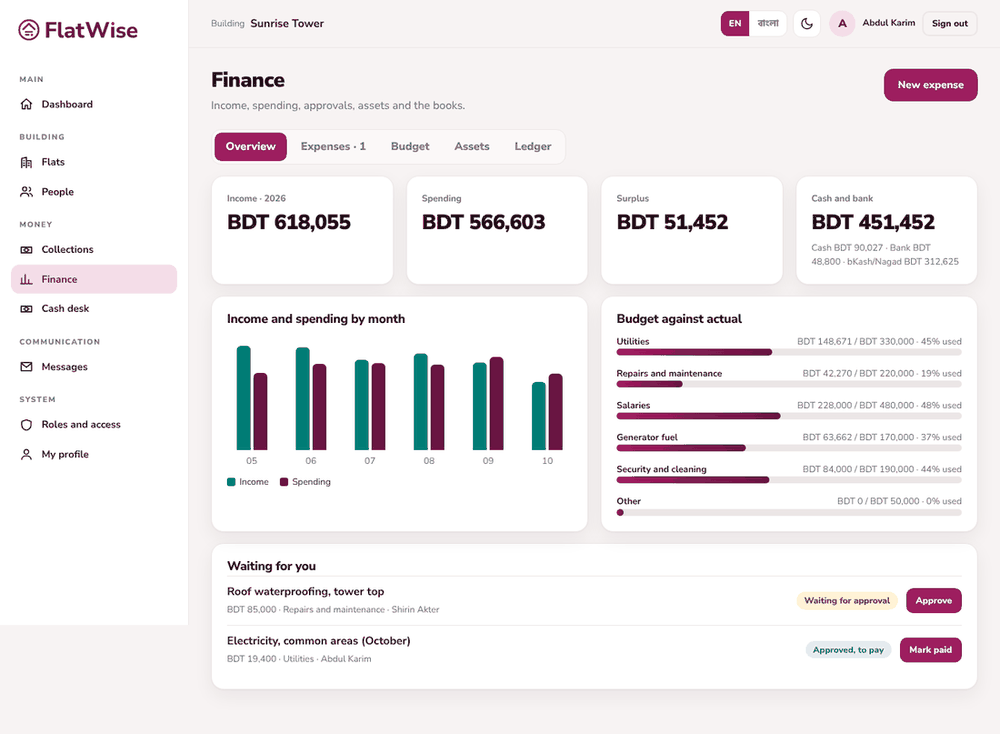 Finance overview
Steps
- Open Finance, Ledger tab. Each entry has two sides that add up to the same amount: debit and credit.
- Entries come from real events: a confirmed service charge payment, a paid expense, a bought asset. You do not type ledger entries by hand.
- Search the journal by words in the memo to find an entry.
- The Trial balance lists every account with its debit and credit totals. The page says Books balance when the totals match.
- A mistake is fixed by a new reversing entry, never by editing or deleting the old one.
Tips
The auditor can read everything here but change nothing.
Use the Export button to give your accountant the journal lines as a CSV.
Still stuck? Contact support
Tell us the screen, what you tried and what you saw. Do not send passwords.
Hours
[SUPPORT HOURS, for example Sat to Thu, 9:00 to 18:00]Send us a message

