Record what the building spends, get the right people to approve it, and mark it paid.
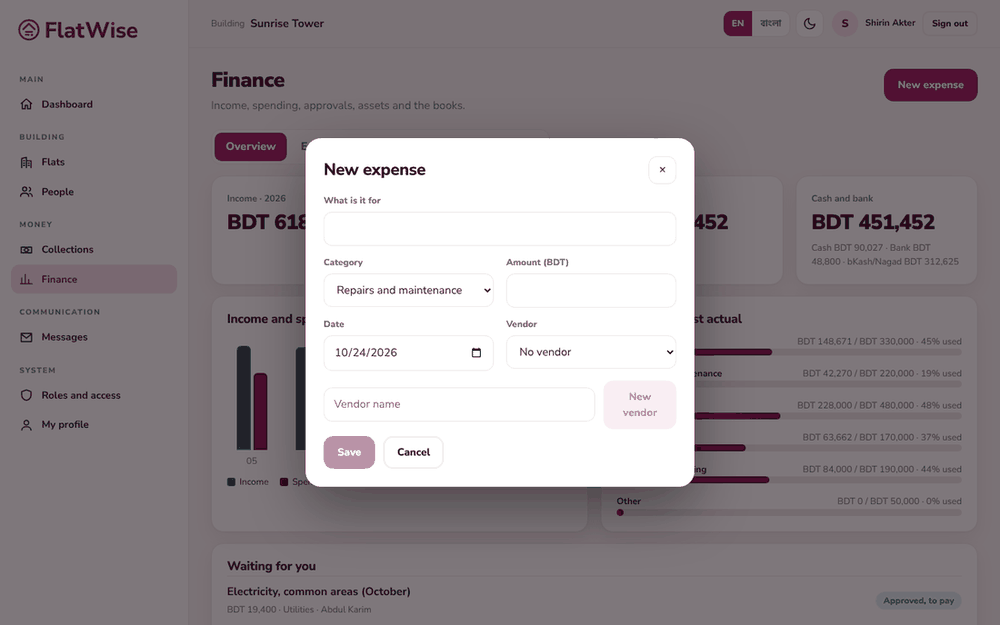 New expense
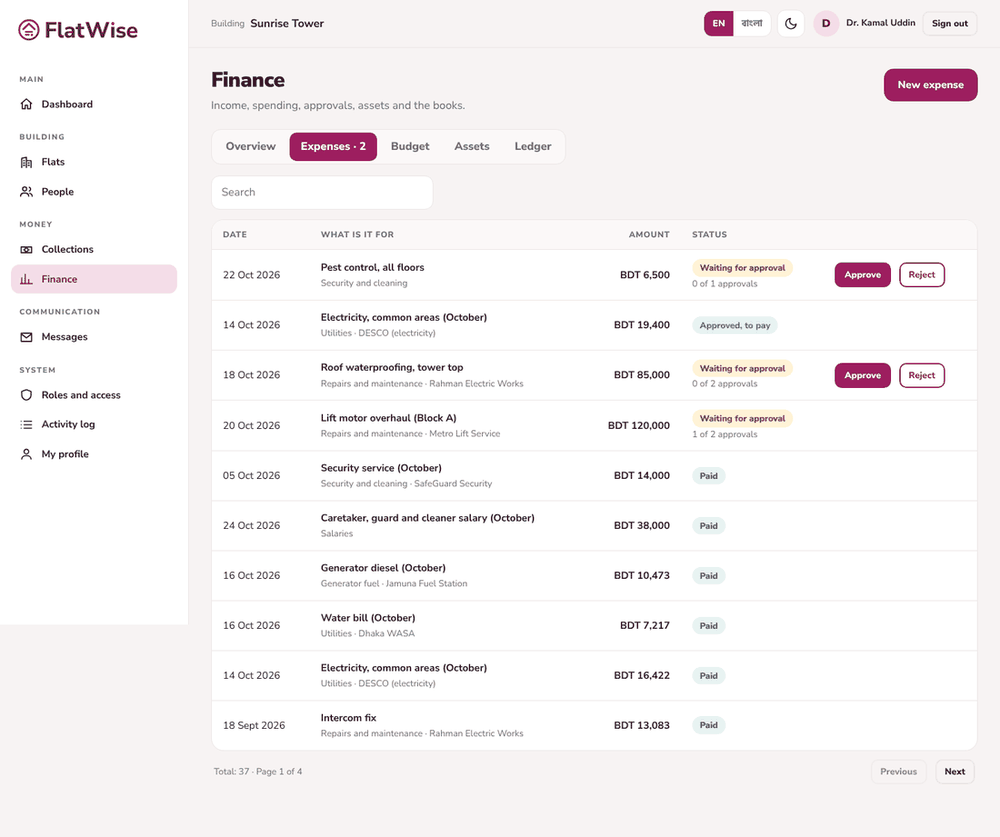 The president approves an expense
Steps
- Open Finance, Expenses tab, and press New expense.
- Say what it is for, choose the category, vendor (or add a new vendor), date and amount, and save. It waits for approval.
- An approver opens the expense and presses Approve or Reject, with a reason. Above BDT 50,000 two different people must approve.
- After approval the treasurer presses Mark paid and chooses how it was paid (cash, bank, bKash or Nagad).
- Paid expenses are written to the ledger automatically.
Tips
The person who asked for an expense cannot be the only one who approves it.
Caretakers can ask for an expense, and see only their own.
Still stuck? Contact support
Tell us the screen, what you tried and what you saw. Do not send passwords.
Hours
[SUPPORT HOURS, for example Sat to Thu, 9:00 to 18:00]Send us a message

