Written for:Property AdminAgency ManagerCommittee PresidentCommittee SecretaryTreasurerCommittee Member+1
Reports for the committee meeting
Collection, dues, spending and cash on one screen each, ready to show at the meeting.
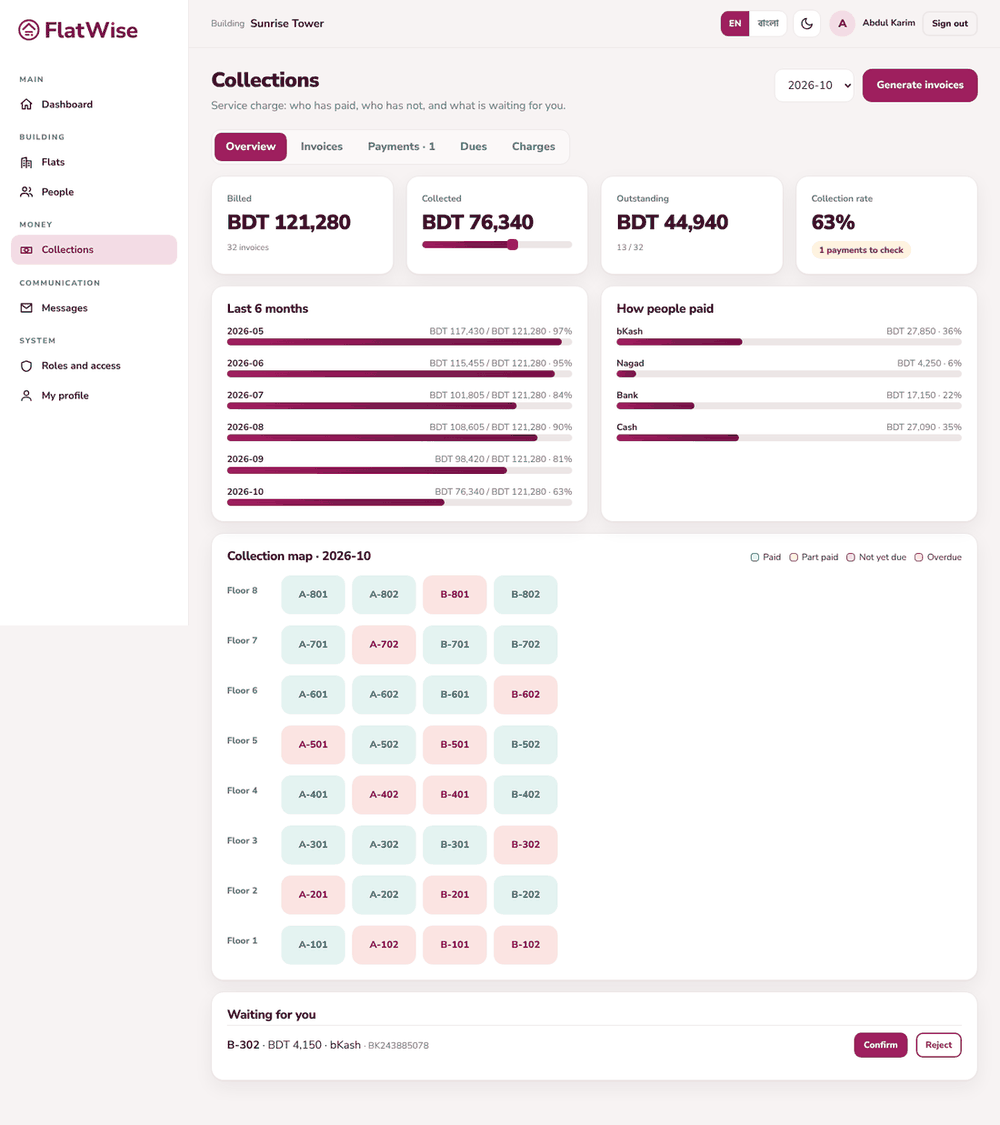
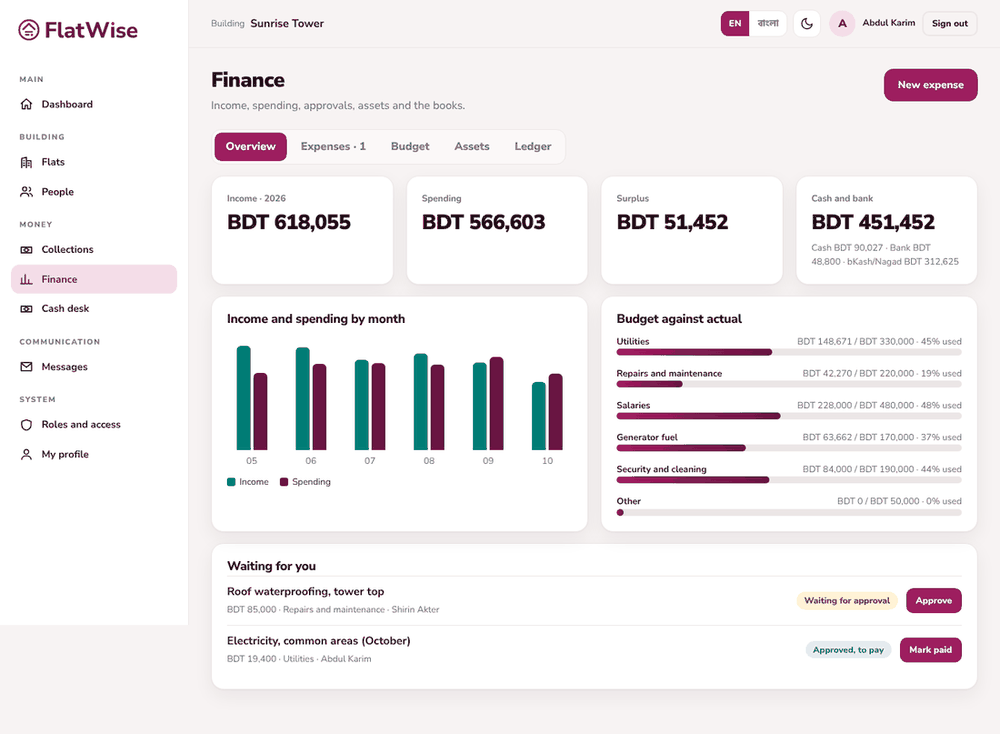
Collections overviewFinance overview
Steps
Collections, Overview: choose the month. See billed, collected, outstanding and the collection rate, the last six months, how people paid and the colour map of every flat.
Collections, Dues: who owes what, grouped by how late.
Finance, Overview: income, spending, surplus and cash and bank for the year, with budget against actual by category.
Finance, Ledger: the trial balance and every journal entry.
Use the Export button on a list to download a CSV, or ask the admin for the full building export.
Tips
Reports follow the roles: an owner sees only their own flat's bills.
Open the Overview before the meeting to see how many payments are still waiting to be confirmed.