Written for:CaretakerTreasurerProperty AdminAgency ManagerFlat OwnerTenant+1
Cash desk: taking cash with proof
Every taka of cash is confirmed by the person who paid, counted as custody, then handed to the treasurer.
The caretaker's cash deskTake cash formThe payer confirmsTreasurer accepts the hand-over
Steps
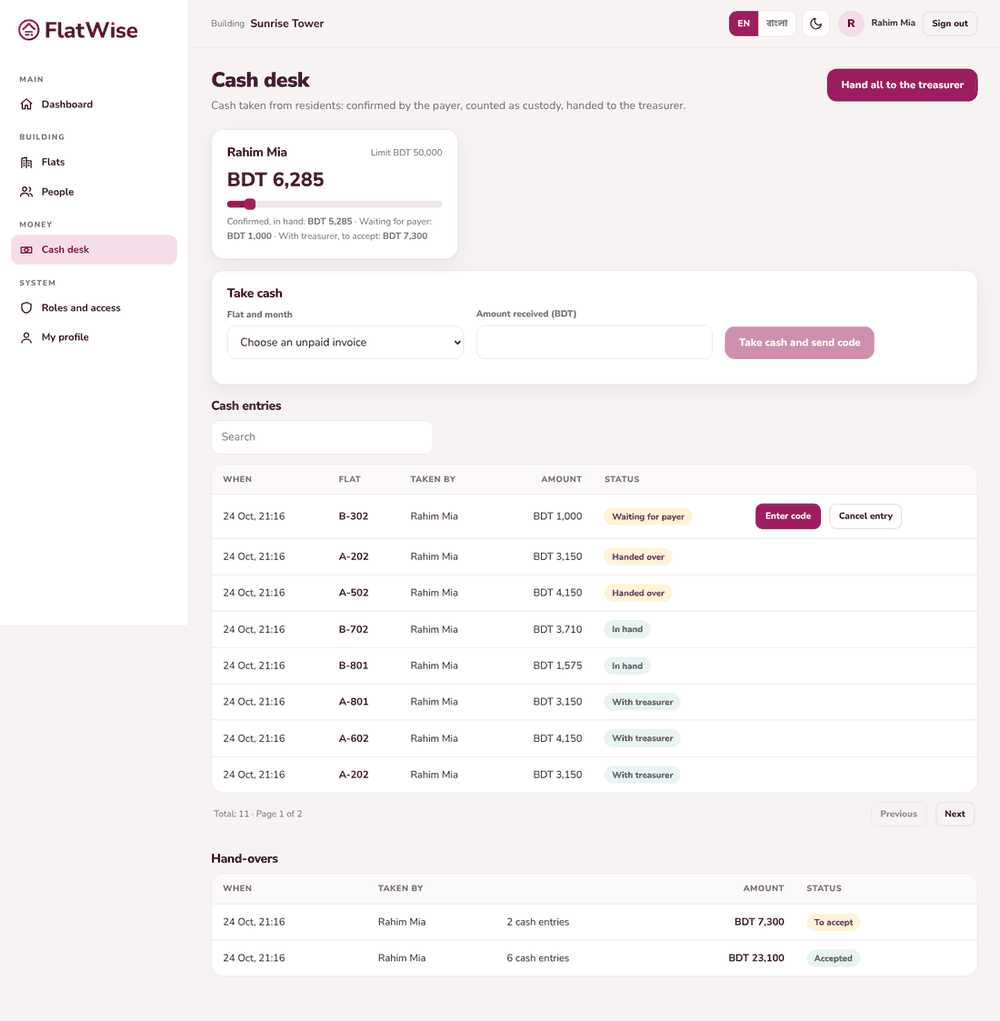
Caretaker: open Cash desk and press Take cash. Choose the flat and the unpaid month, enter the amount received.
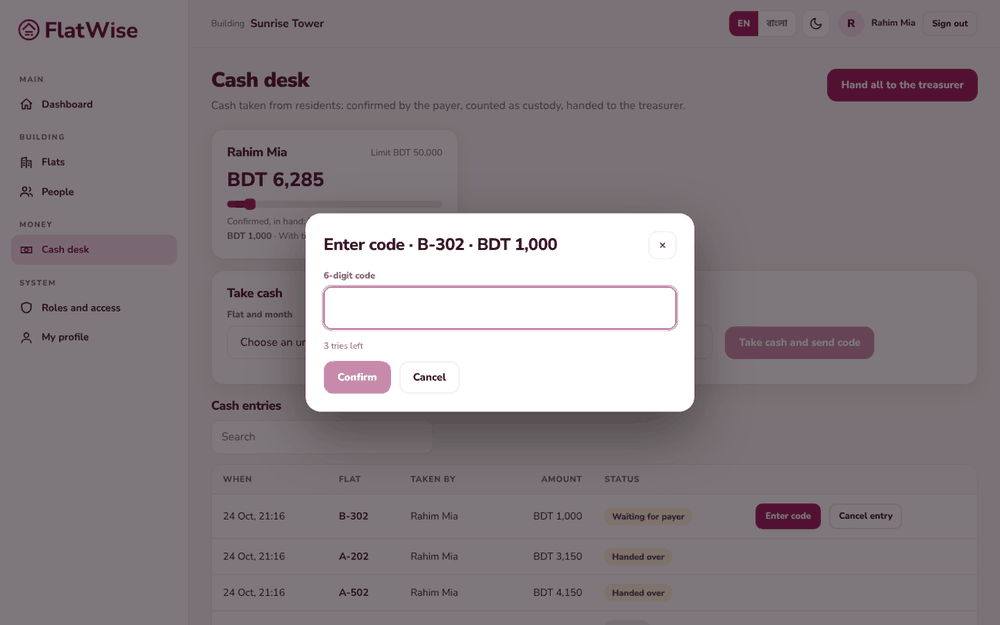
Press Take cash and send code. The payer gets a 6-digit code by SMS. Type it in, and the entry becomes Confirmed, in hand. Without a phone, choose Take cash and ask payer to confirm.
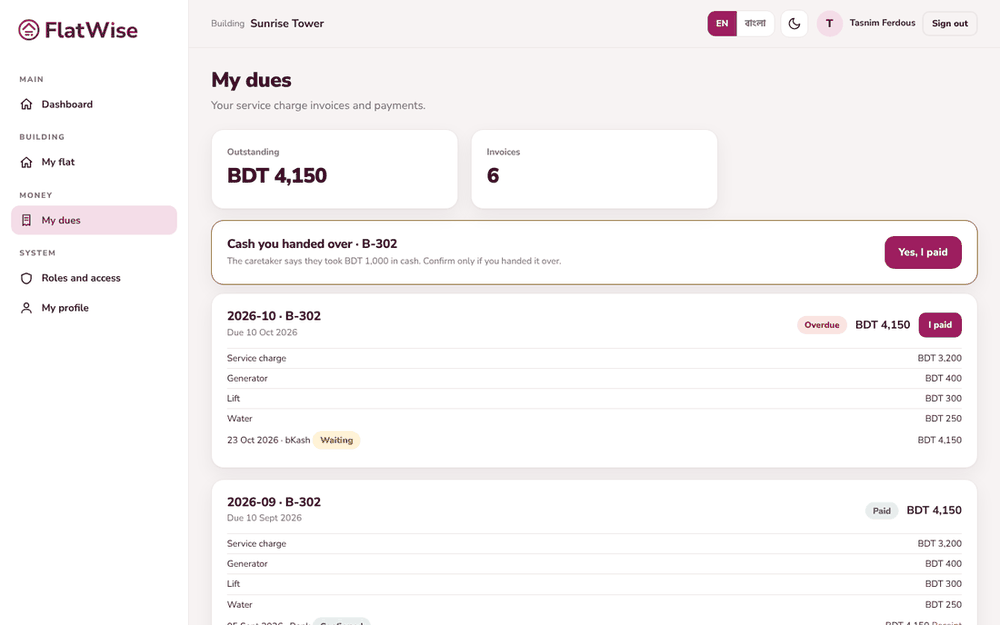
Payer: open My dues, find the Cash you handed over card and press Yes, I paid.
Caretaker: when you are ready, press Hand all to the treasurer. Cash in hand has a limit shown on the page.
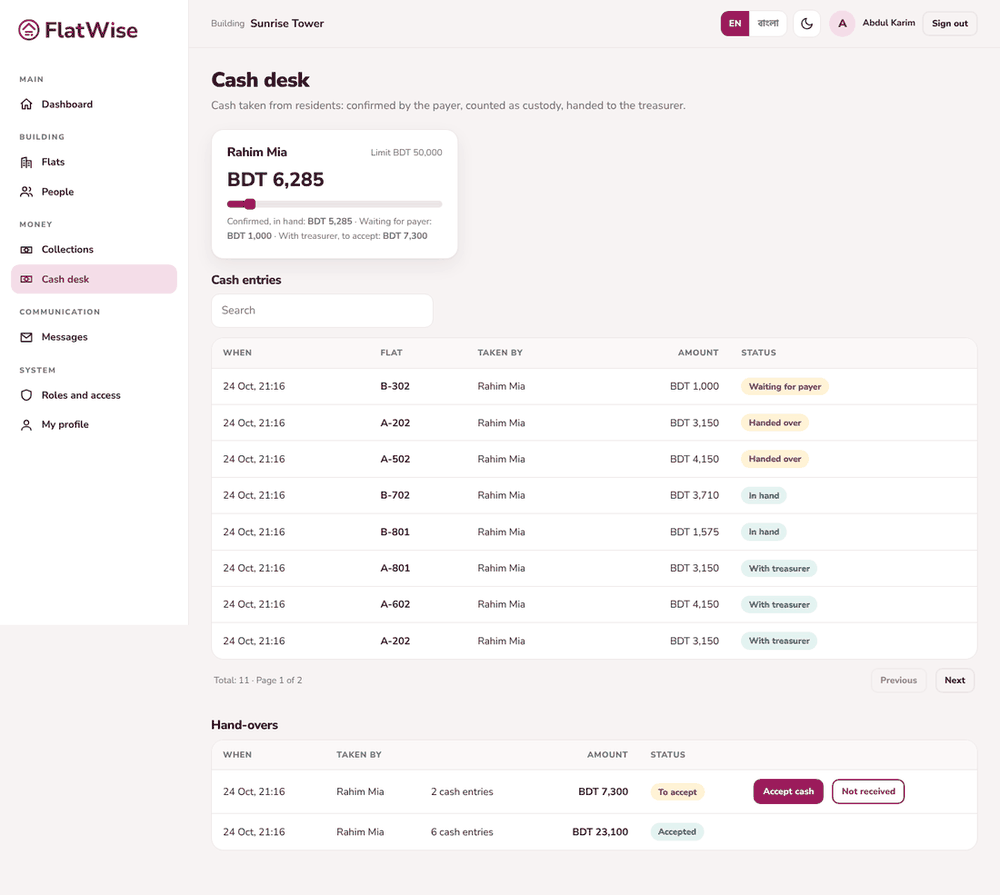
Treasurer: open Cash desk, check the money, then press Accept cash, or Not received if it is wrong. Accepted cash goes to the books.
Tips
After 3 wrong codes the entry locks for 1 hour. The payer can still confirm in the app.
A code expires after a short time. Press Send a new code if needed.