See your bills, tell the treasurer you paid, and keep the receipt.
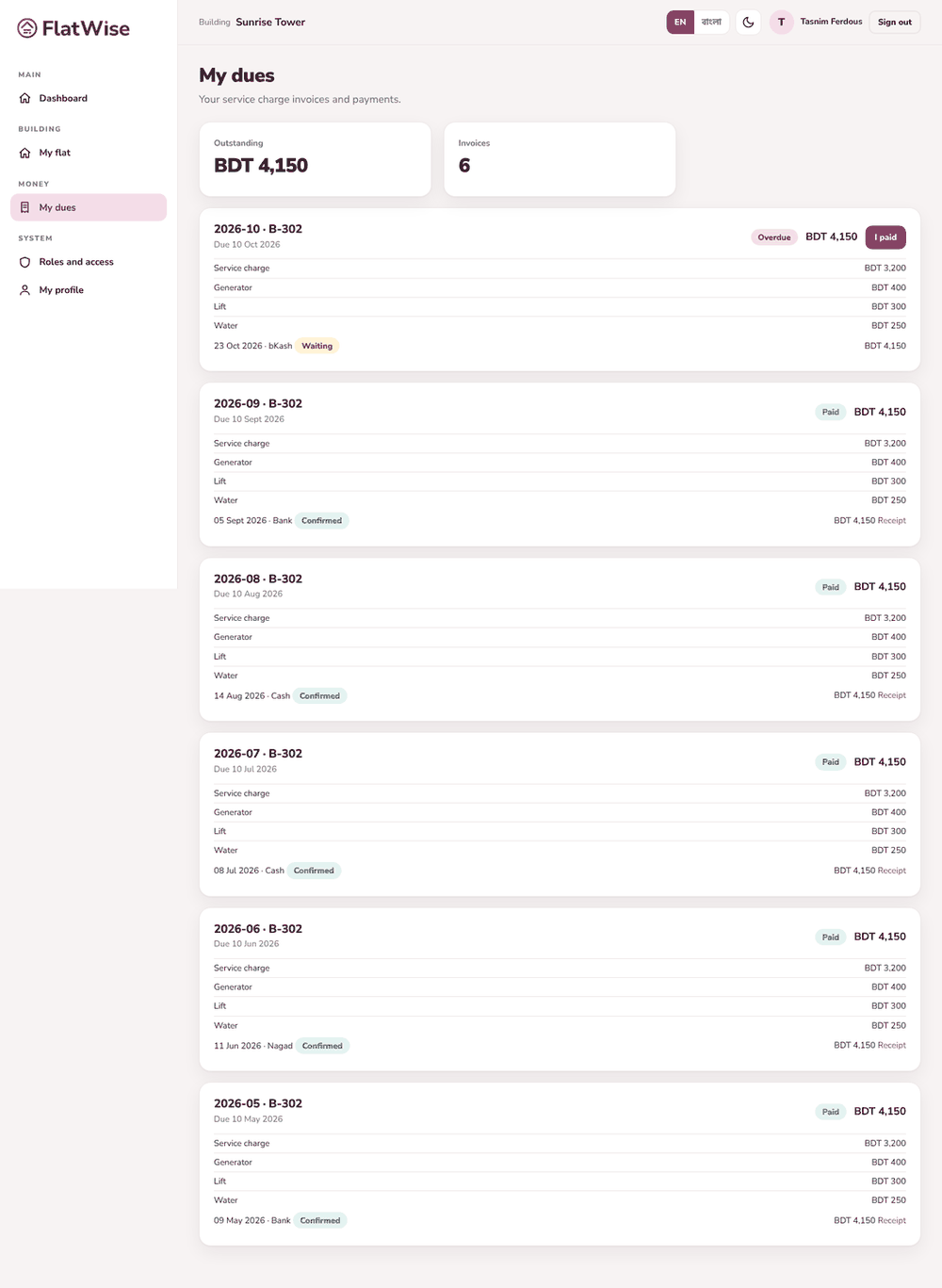 My dues
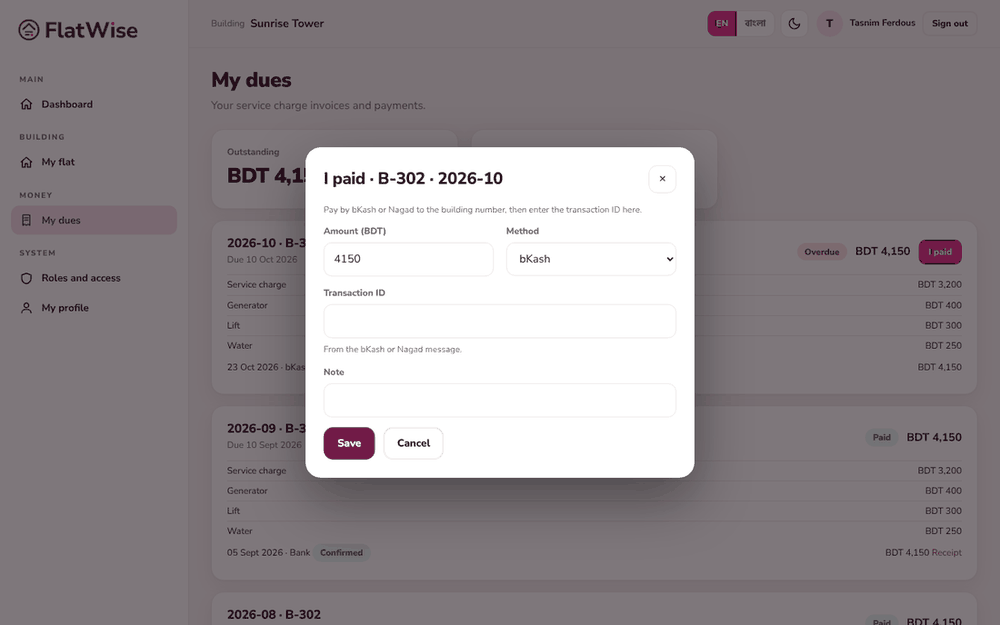 The I paid form
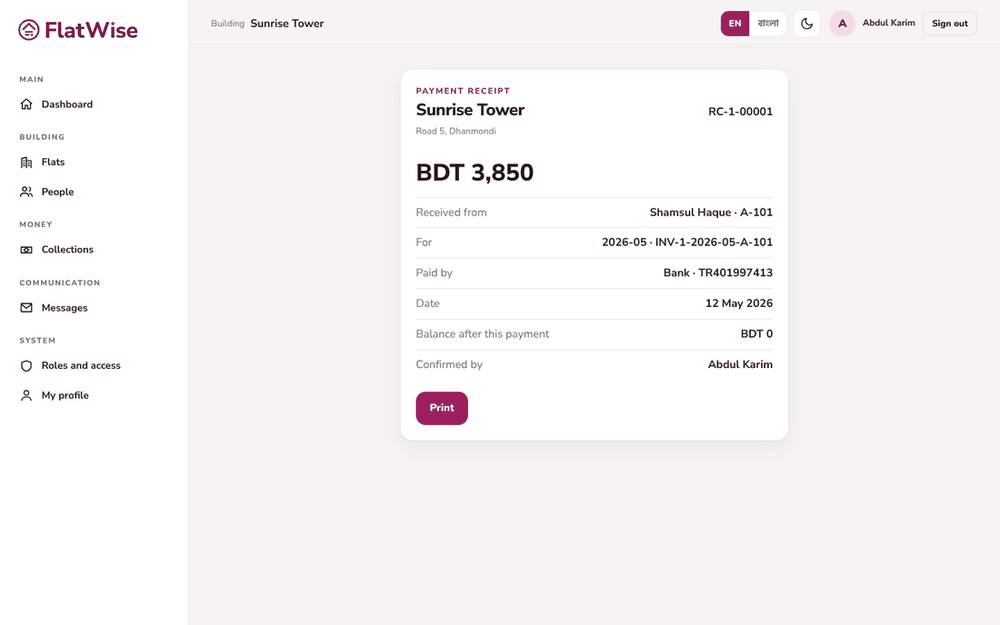 A payment receipt
Steps
- Open My dues. Each month's invoice shows the total, what is paid and the balance.
- Pay by bKash or Nagad to the building's number, or by bank. Keep the message with the transaction ID.
- Press I paid on the invoice, choose the method, enter the amount and the transaction ID, and send.
- The treasurer checks it. When it is confirmed you get a receipt number, and the invoice turns Paid.
- Open the payment and press Receipt to view or print it.
Tips
If your building has online payment switched on, press Pay now instead and the receipt comes by itself.
Handed cash to the caretaker? You will see a Cash you handed over card. Press Yes, I paid only if it is true.
Still stuck? Contact support
Tell us the screen, what you tried and what you saw. Do not send passwords.
Hours
[SUPPORT HOURS, for example Sat to Thu, 9:00 to 18:00]Send us a message

