Let owners and tenants pay service charge online. Confirmed payments arrive in the ledger by themselves.
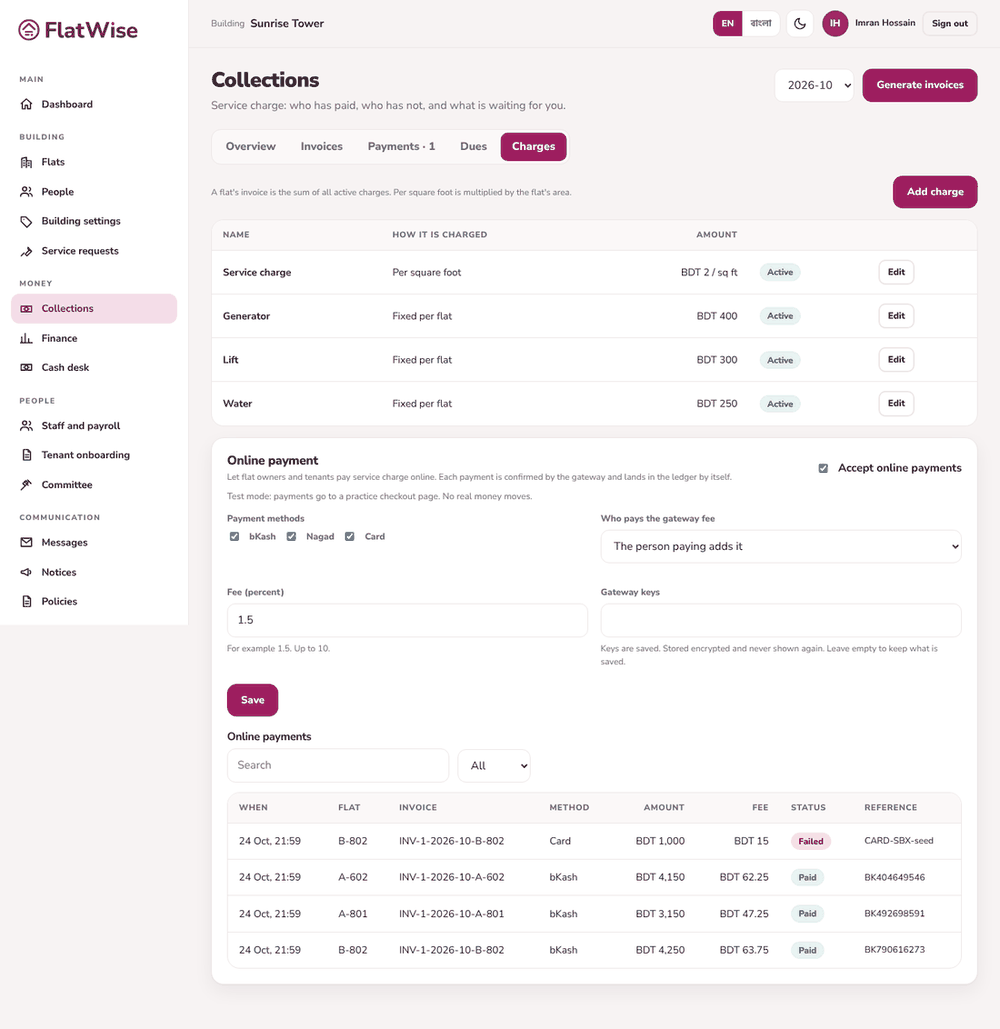 Online payment settings
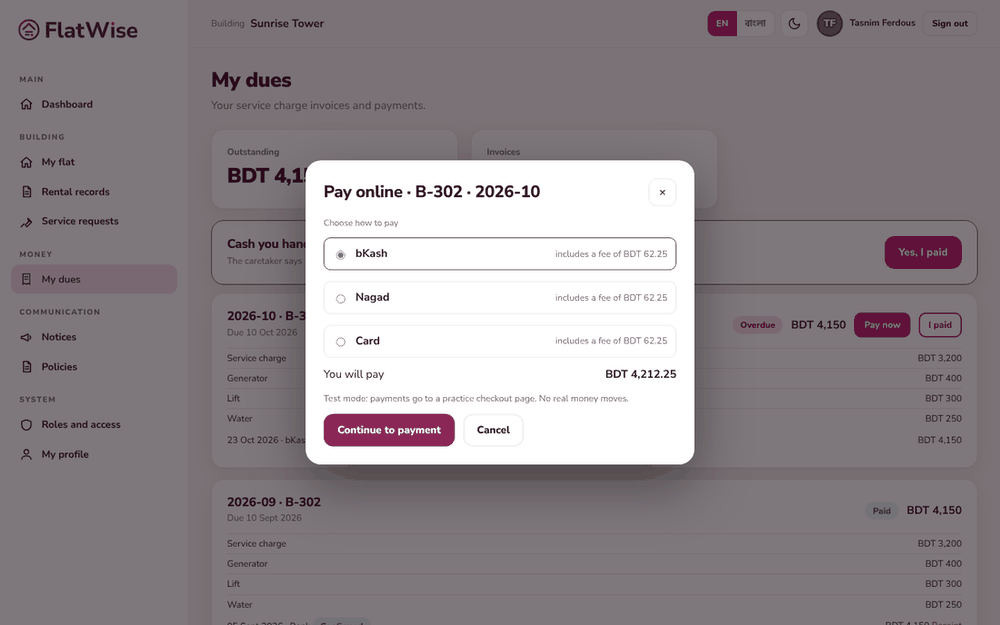 A tenant pays online
Steps
- Admin: open Collections, Charges tab, and find Online payment. Switch on Accept online payments.
- Pick the methods to offer: bKash, Nagad, Card. Choose who pays the gateway fee and enter the fee percentage.
- Enter the gateway keys from your provider and save. They are stored encrypted and never shown again.
- Resident: on My dues press Pay now, choose how to pay and Continue to payment.
- The gateway confirms the payment, the invoice turns Paid and a receipt is created. The admin sees the list under Online payments.
Tips
In test mode you see a practice checkout page and no real money moves.
Money goes to your building's own merchant account, never through FlatWise.
Still stuck? Contact support
Tell us the screen, what you tried and what you saw. Do not send passwords.
Hours
[SUPPORT HOURS, for example Sat to Thu, 9:00 to 18:00]Send us a message

