Keep every person who works for the building in one list, with their pay, and store National ID numbers safely.
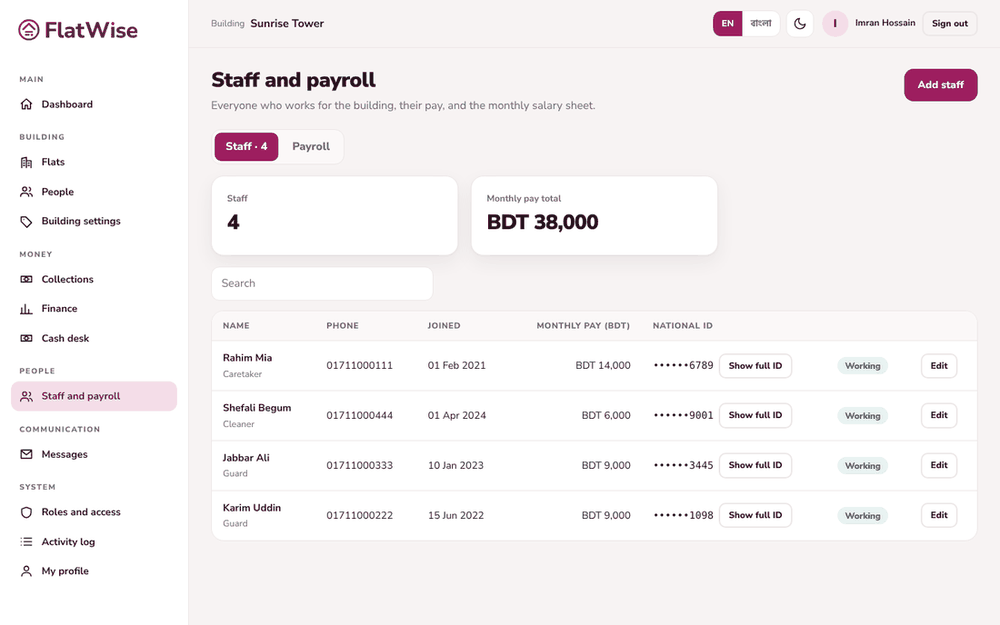 Staff register
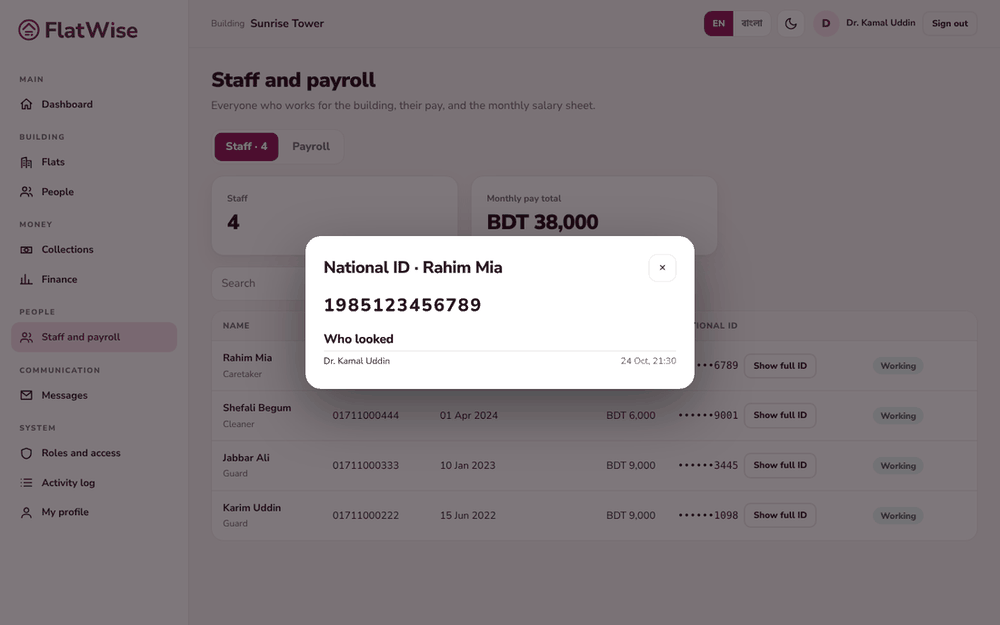 National ID vault with a log of who looked
Steps
- Open Staff and payroll, Staff tab. Press Add staff.
- Enter name (and Bangla name), job (caretaker, guard, cleaner, driver, other), phone, joining date and monthly pay.
- Enter the National ID: 10, 13 or 17 digits. It is stored encrypted. You see only the last four digits.
- To see the full number press Show full ID. This is written to the log with your name and time. Open Who looked to read the log.
- When someone stops working, open them and press Mark as left. They will not appear on new salary sheets.
Tips
Leave the ID box empty when editing to keep the saved number.
Staff supplied by a security or cleaning agency are managed under Duty roster, not here.
Still stuck? Contact support
Tell us the screen, what you tried and what you saw. Do not send passwords.
Hours
[SUPPORT HOURS, for example Sat to Thu, 9:00 to 18:00]Send us a message

