Reminders, notices, OTP codes and payslips use one credit per message. Keep a balance so they are never lost.
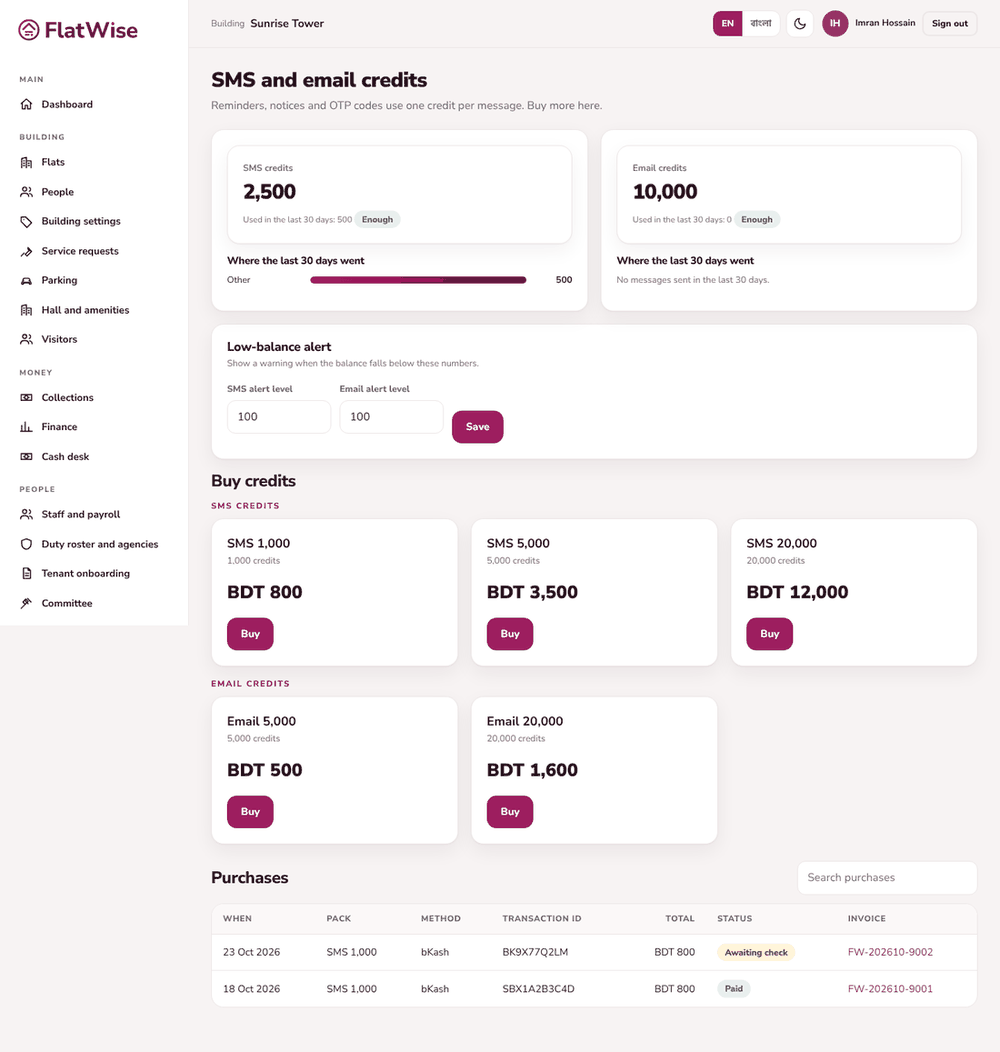 Buy SMS and email credits
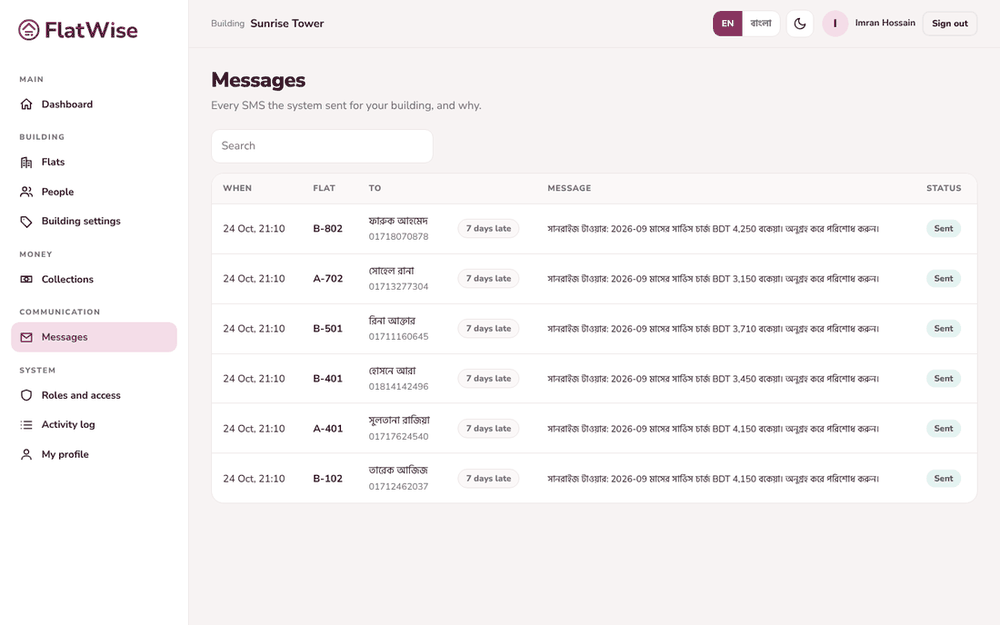 Messages sent
Steps
- Open SMS and email credits. See your balance, what was used in the last 30 days and where it went (reminders, notices, OTP codes, payslips).
- Set a low-balance alert level so the page warns you before credits run out.
- Choose a pack under Buy credits and press Buy. The price, VAT and total are shown.
- Pay online (bKash, Nagad or card), or pay by transfer to the number shown and enter the transaction ID with I paid by transfer.
- A transfer is checked by FlatWise finance, then credits are added. You get a tax invoice and receipt in the purchases list.
Tips
With zero credit a message shows as failed instead of being lost. Top up, then resend.
Each building has its own SMS and email balance.
Still stuck? Contact support
Tell us the screen, what you tried and what you saw. Do not send passwords.
Hours
[SUPPORT HOURS, for example Sat to Thu, 9:00 to 18:00]Send us a message

