Written for:Agency ManagerProperty AdminFlat OwnerTenantCaretakerCommittee President+6
Notices and read proof
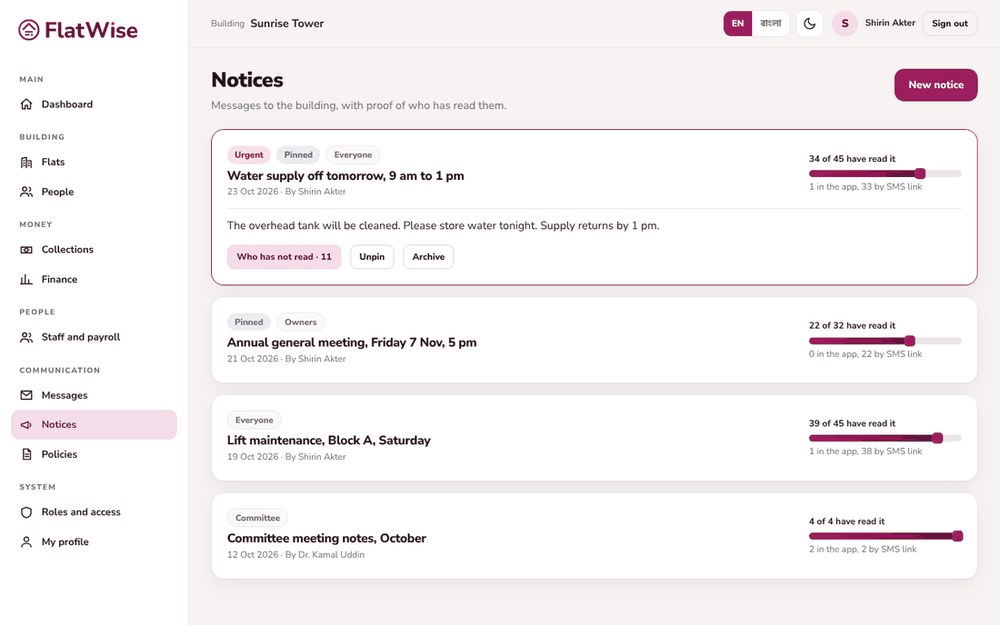
Publish a notice once and see exactly who has read it and who has not.
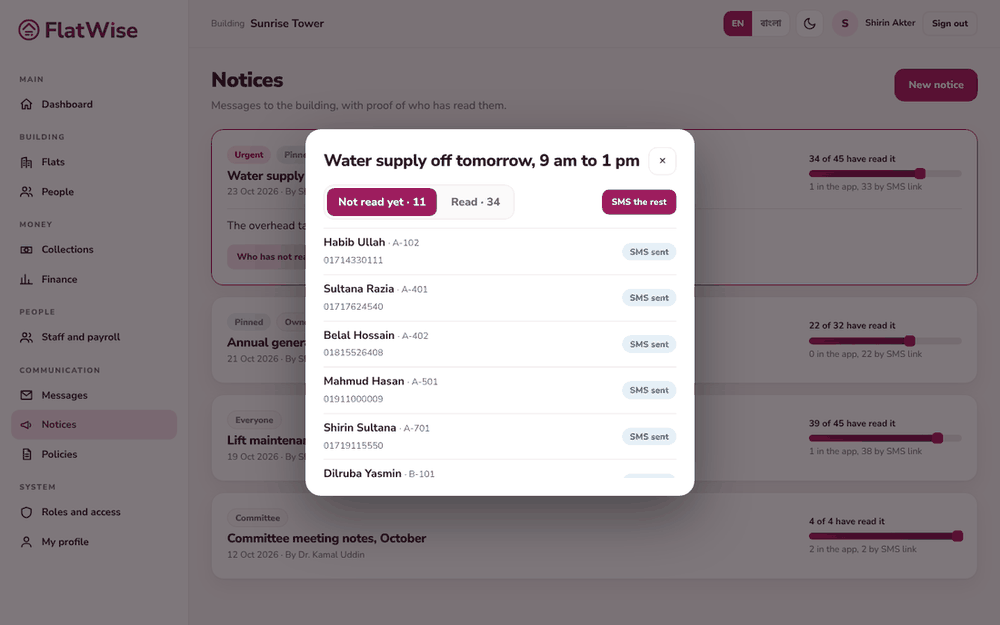
Notices with how many have readWho has not read
Steps
Admin, president or secretary: open Notices and press New notice.
Write the title and message in English and in Bangla using the two tabs. Residents who use Bangla see the Bangla version; if it is empty they see English.
Choose who it is for (everyone, owners, tenants, committee), the priority, and whether to pin it. Tick Also send an SMS with a link to reach people outside the app.
Open the notice to see X of Y have read it, how they read it (app or SMS link) and the list of people who have not.
Press SMS the rest to nudge those who have not read it yet.
Tips
Opening the SMS link counts as read. No sign-in is needed.