House rules with versions. When you publish a new version, everyone must read and accept it again.
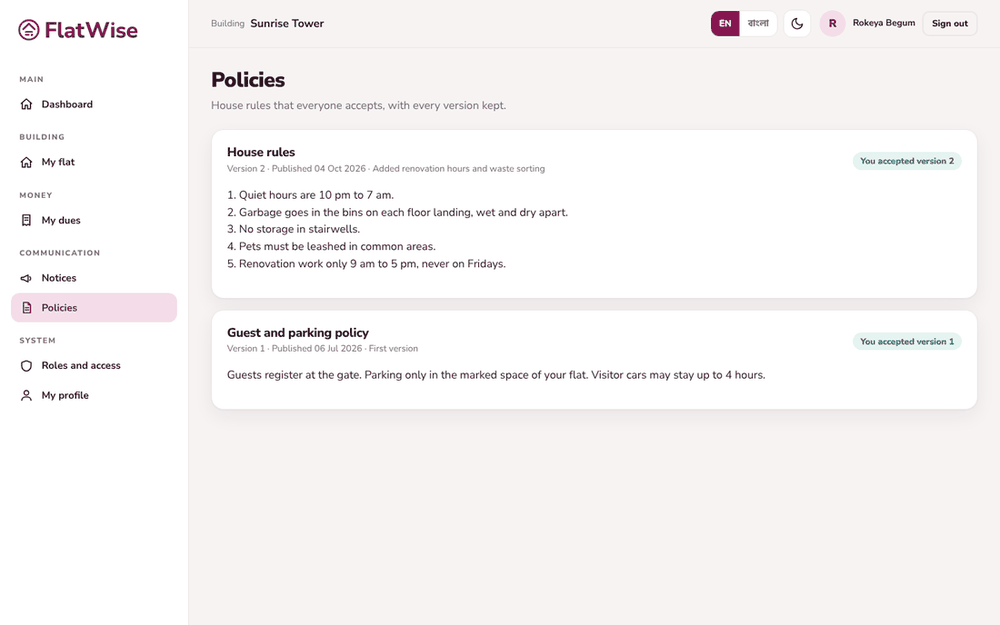 An owner accepts a policy
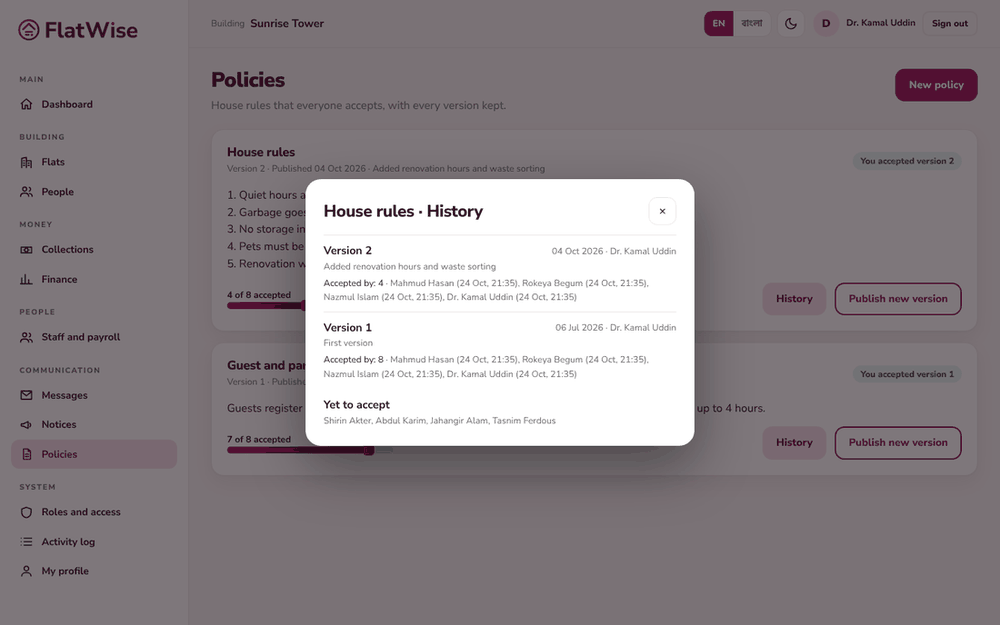 Acceptance history
Steps
- Open Policies. Residents see each policy with its current version.
- Resident: read the text and press I have read and accept. Your acceptance is recorded with the version and time.
- Admin or committee: press New policy, enter the name and the text in English and Bangla, and publish.
- To change a policy press Publish new version and say what changed. The old version is kept and never overwritten.
- Open History to see who accepted each version and who has yet to accept.
Tips
When a policy is updated residents see Updated. Please read and accept again.
Use a policy for rules you may need to point to later, like parking or hall use.
Still stuck? Contact support
Tell us the screen, what you tried and what you saw. Do not send passwords.
Hours
[SUPPORT HOURS, for example Sat to Thu, 9:00 to 18:00]Send us a message

