FlatWise has 17 roles. Each person sees only what their role needs.
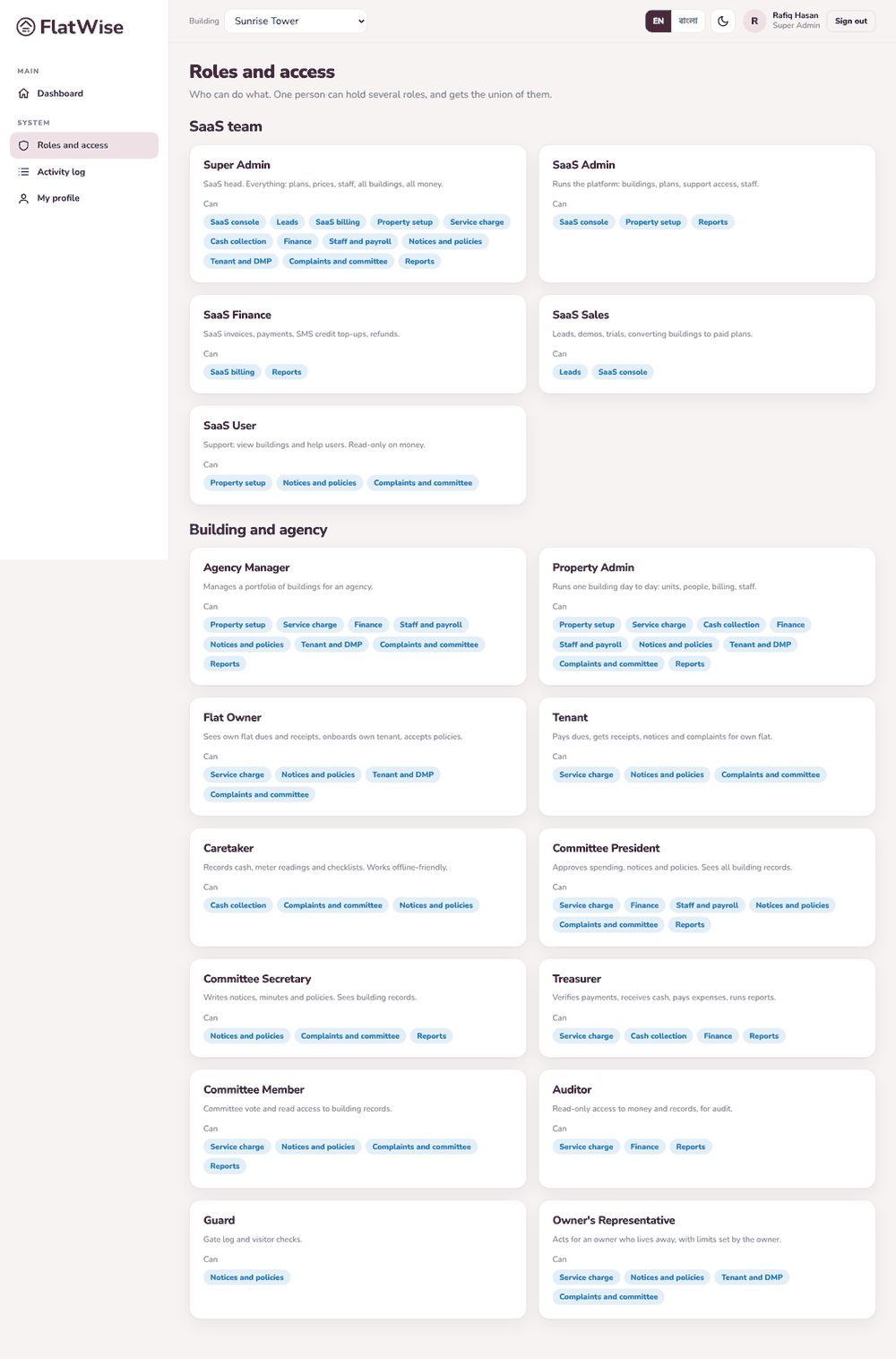 Roles and what each can do
Steps
- Open Roles from the menu to read what each role does.
- At the top of your dashboard you see the roles you hold here. One person can hold several, for example a flat owner who is also the treasurer.
- Flat owners and tenants see only their own flat, bills and requests.
- Committee members, the auditor and the building admin see the whole building's money and records.
- Guards and caretakers see only the tools for their work, such as the visitor gate and the cash desk.
Tips
Phone numbers and emails are shown only to roles that need them to do their job.
Every important action is written to the activity log with the person's name and time.
Still stuck? Contact support
Tell us the screen, what you tried and what you saw. Do not send passwords.
Hours
[SUPPORT HOURS, for example Sat to Thu, 9:00 to 18:00]Send us a message

