Written for:Flat OwnerTenantOwner's RepresentativeCaretakerGuard
Booking the community hall
See free days, request a slot, and pay once the committee approves.
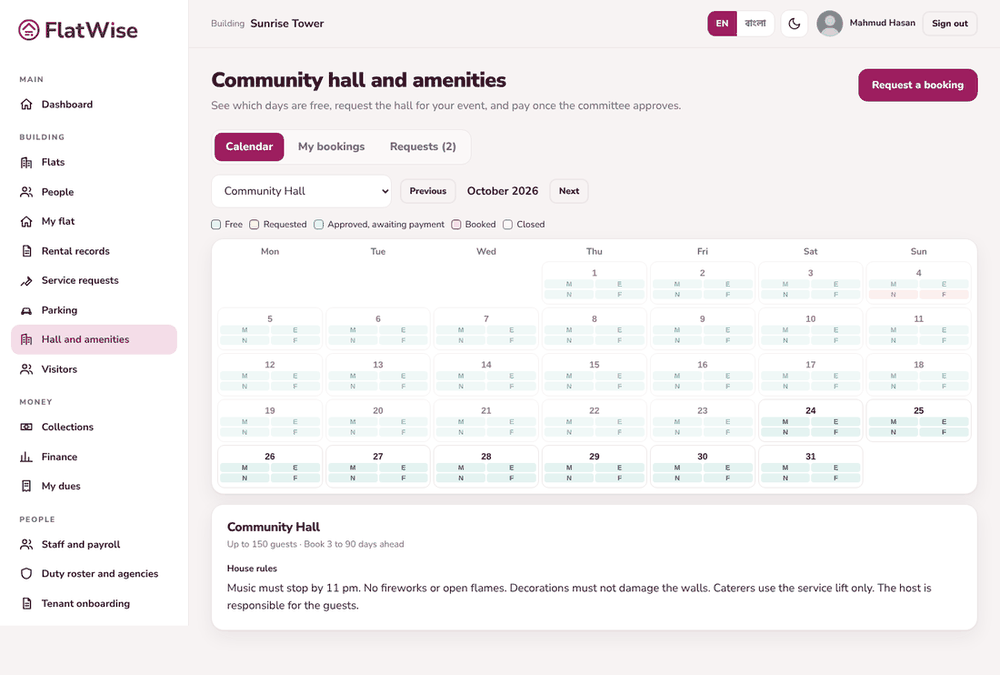
Community hall calendar
Steps
Open Hall and amenities, Calendar tab. Pick the amenity and look at the days: Free, Requested, Approved awaiting payment, Booked or Closed.
Tap a free day, choose the slot (morning, evening, night, full day), purpose, expected guests and your contact number. Add the generator or extra hours if you need them.
You see the quote: slot fee, extra hours, cleaning fee, generator, refundable deposit and total. Press Send request.
When the committee approves you get an invoice and a few days to pay. The slot is yours once it is paid.
My bookings shows each request. You can cancel; the refund follows the building's cancellation rule.
Tips
Owners and tenants can have different slot fees.
Dates the committee has closed, like Eid or maintenance, cannot be requested.