Keep who serves and until when, and record each meeting's agenda, attendance, minutes and decisions.
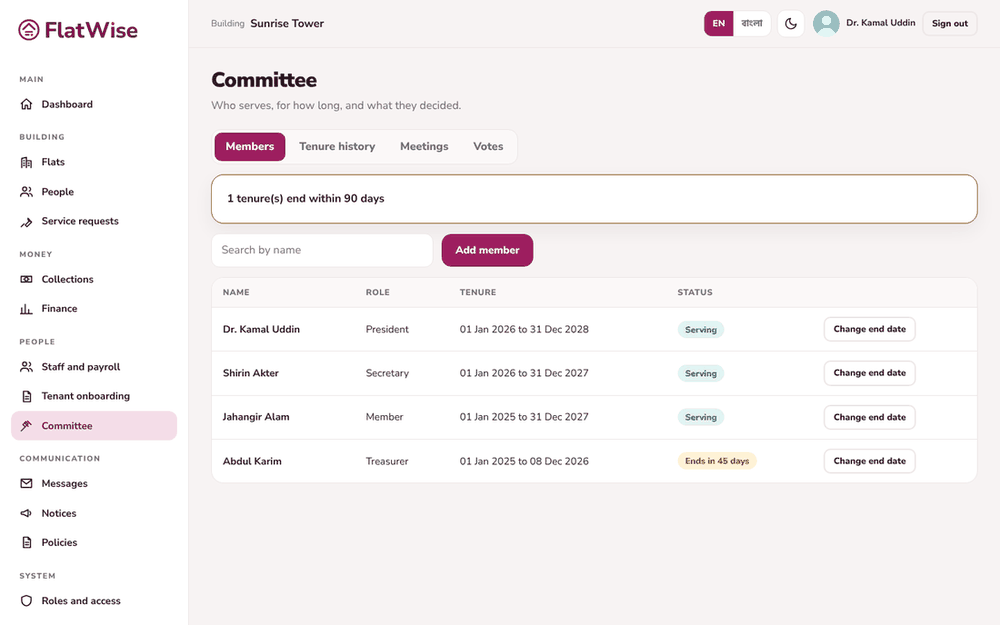 Committee members and tenure
Steps
- Open Committee. Members show with role and tenure. A badge warns when a tenure ends within 90 days.
- Press Add member, enter name, role (president, secretary, treasurer, member), start and end dates. Use Change end date after an extension.
- Press Schedule a meeting with title, date, place and agenda.
- After the meeting open it, tick who was present, write the minutes and add each decision. Press Save minutes and mark as held.
- Decisions are listed on the meeting for everyone on the committee to see.
Tips
Giving a member a sign-in is done on the setup wizard or by the admin; this page records tenure.
A cancelled meeting stays in the list as Cancelled.
Still stuck? Contact support
Tell us the screen, what you tried and what you saw. Do not send passwords.
Hours
[SUPPORT HOURS, for example Sat to Thu, 9:00 to 18:00]Send us a message

