Keep the name and address right, because they print on every bill, notice and receipt. Offer vacant flats to let with the owner's approval.
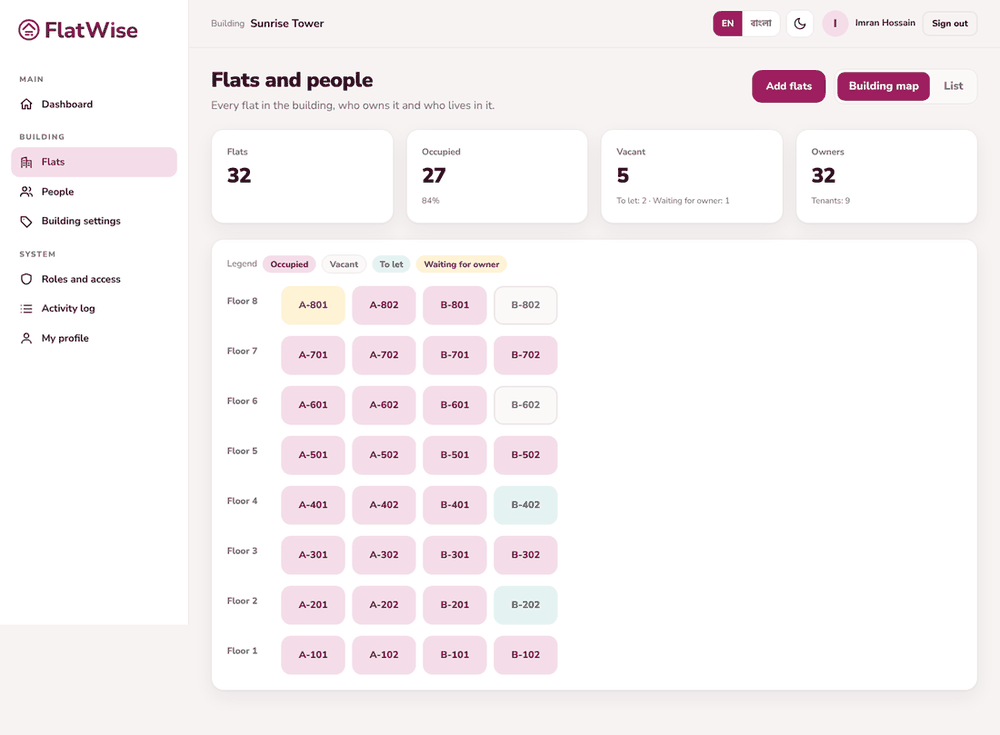 Flats map with status colours
Steps
- Open Building settings from the menu.
- Enter the building name in English and in Bangla, the address and the number of floors, then save.
- To offer a vacant flat, open it on the Flats screen and press Offer to let. The flat shows Waiting for owner.
- The owner opens My flat or the flat and presses Approve letting. Only then is the flat shown as To let.
- Either side can withdraw the offer.
Tips
Fill the Bangla name so Bangla bills and SMS show the right building name.
Tenant onboarding needs a flat that is To let.
Still stuck? Contact support
Tell us the screen, what you tried and what you saw. Do not send passwords.
Hours
[SUPPORT HOURS, for example Sat to Thu, 9:00 to 18:00]Send us a message

