Report a problem, follow it until it is fixed and rate the fix.
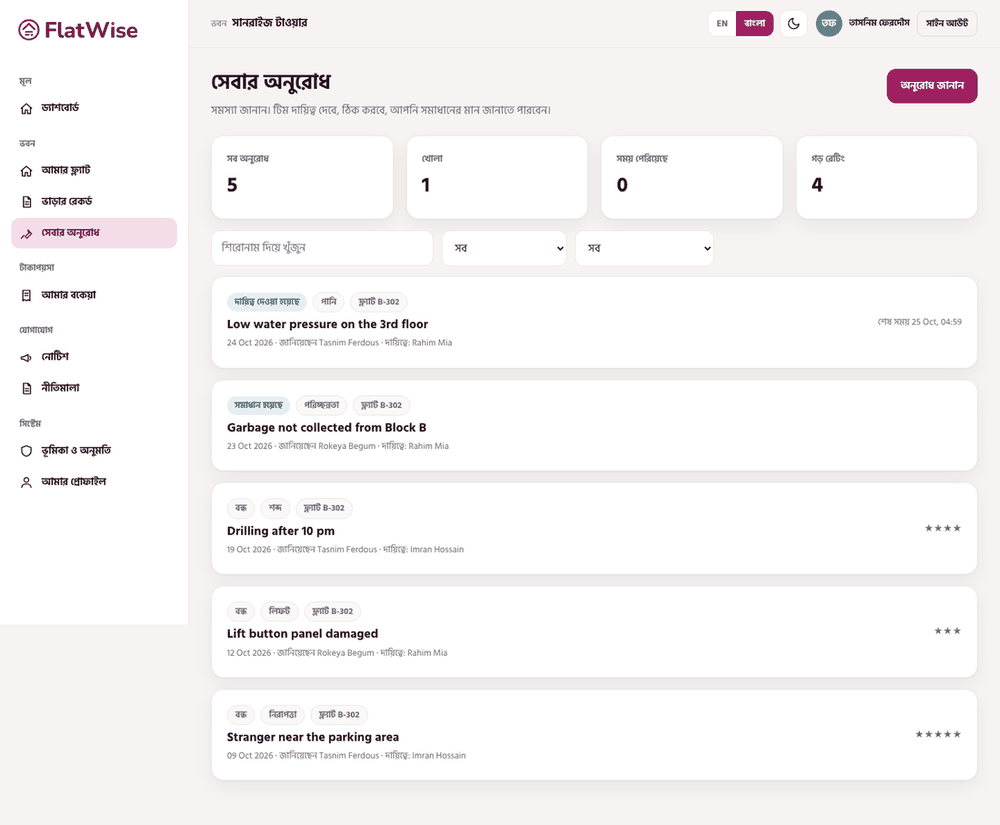 A tenant raises a request
Steps
- Open Service requests and press Raise a request.
- Choose the category (lift, water, electricity, security, cleaning, noise, other), write a short title and say what is wrong and where.
- Send it. The team assigns it and the page shows the due time based on the service level for that category.
- Follow the updates and write comments. When it shows Resolved, press Confirm and close, or Reopen (once) if it is not fixed.
- After it is closed, rate the fix from 1 to 5 with an optional note.
Tips
One clear request per problem is faster to fix than a long list.
Your request is visible to you, the staff and the committee, not to other residents.
Still stuck? Contact support
Tell us the screen, what you tried and what you saw. Do not send passwords.
Hours
[SUPPORT HOURS, for example Sat to Thu, 9:00 to 18:00]Send us a message

